Visual planning for agile working
Nialli helps construction teams stay aligned and on schedule with intuitive, hands-on tools for collaborative planning. Its flagship solution,Nialli™ Visual Planner,transforms traditional pull planning into a dynamic digital experience, enabling teams to visualise progress, identify bottlenecks and maintain clear communication across the project lifecycle.
Book a Nialli demo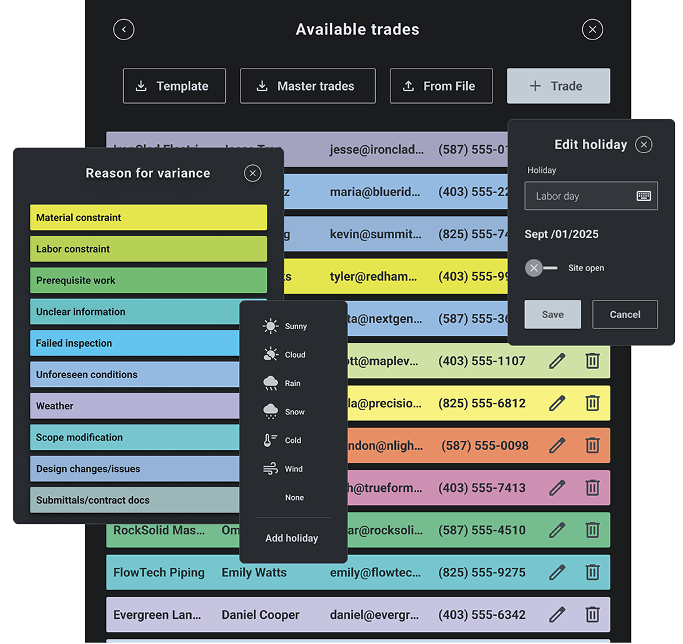
Traditional methods. Modern flexibility
Built on Lean principles and modelled on familiar sticky-note workflows, Nialli combines the simplicity of traditional planning methods with the flexibility of modern digital collaboration. Optimised for interactive displays and accessible from any web browser, the platform enables real-time updates, improved visibility and stronger teamwork from start to finish.
Book a Nialli demo
Nialli
Unlock Your Workplace Potential
How Aecon is leveraging the Last Planner System® with Nialli
Nialli and Mace, from post-it notes to digital precision
Nialli Visual Planner, a game changer for Extreme Concrete
How Willmott Dixon is increasing productivity by nearly 40% with Nialli & Ascentae
Nialli™ Visual Planner | PCL Construction
What is Nialli™ Visual Planner?
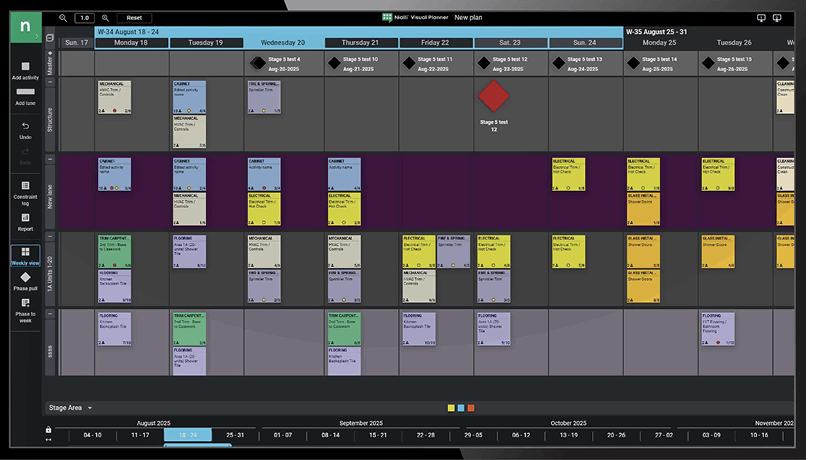
Nialli™ Visual Planner is a digital pull-planning solution designed to help construction teams visualise timelines, manage dependencies and track progress in real time. With an intuitive, sticky-note-style interface, teams can create tasks, adjust schedules and collaborate across jobsite and office environments without complex setup or training.
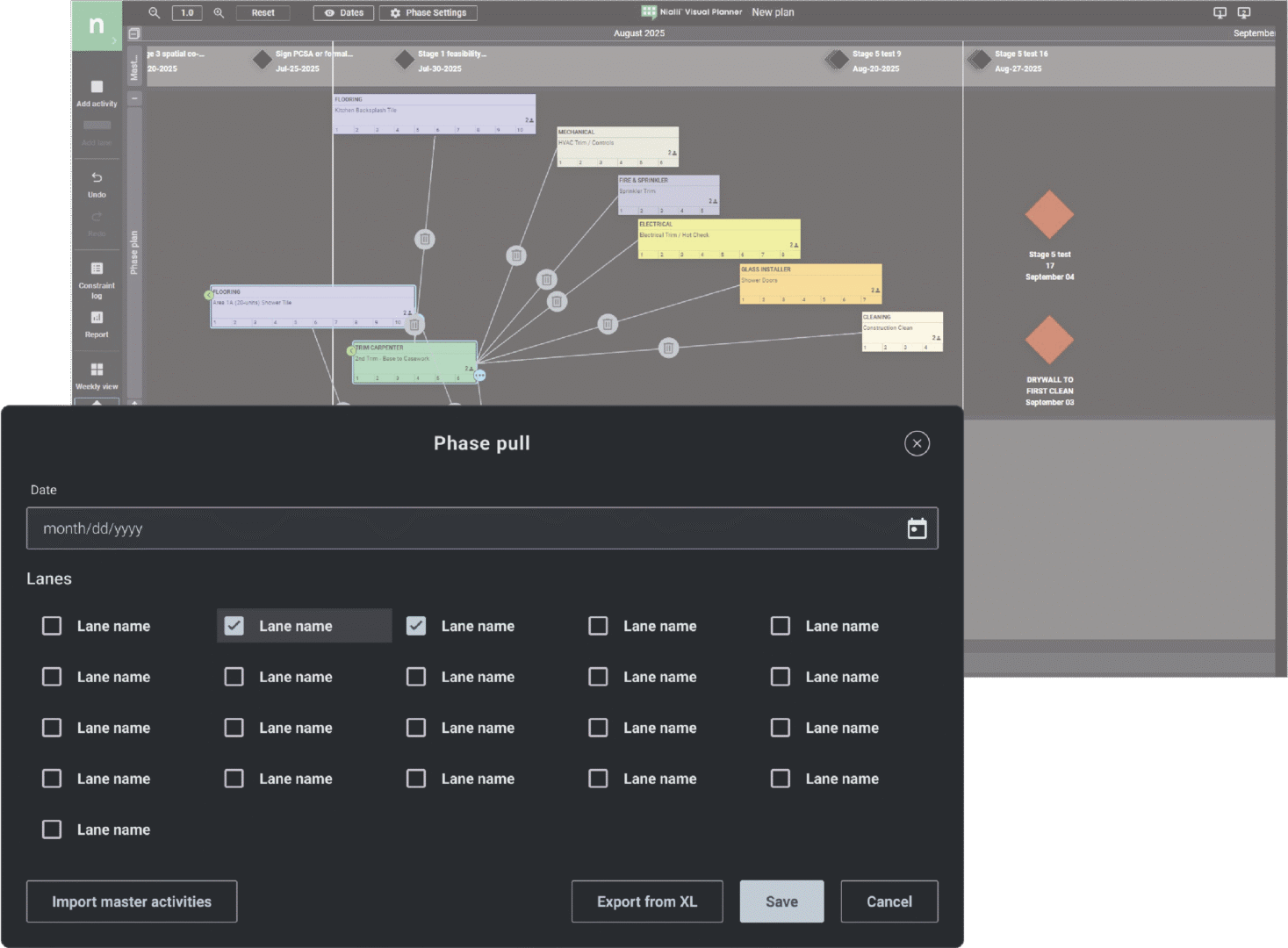
Purpose-built for Big Room collaboration, the platform supports multiple users simultaneously and can sync across up to three interactive displays, creating a fully immersive planning environment.

Key Benefits

Visual plans everyone can follow
Designed for Big Room collaboration
Work faster and smarter with imported milestones
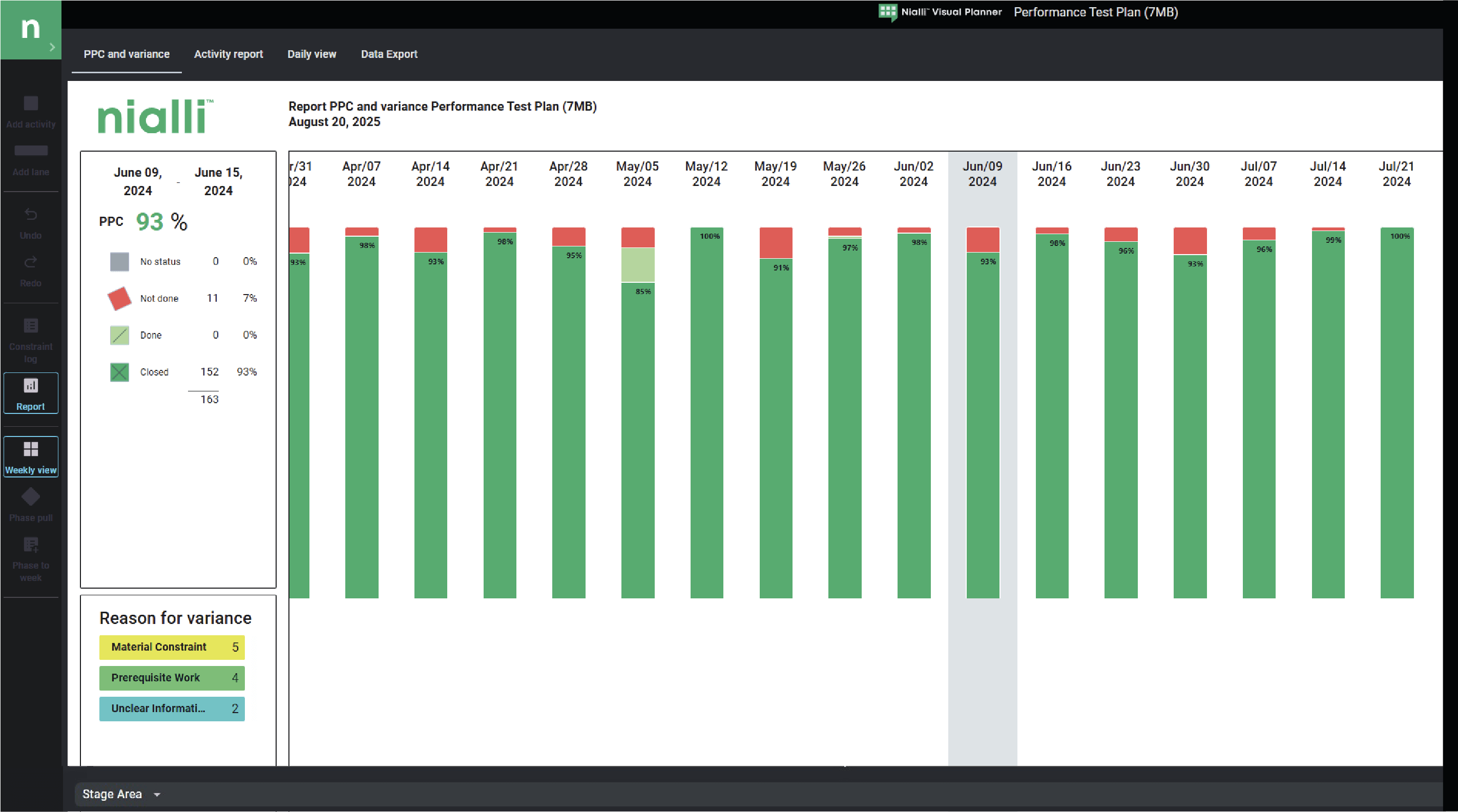
Capture valuable project insights and performance metrics
Built on proven Lean planning methods

Core Benefits
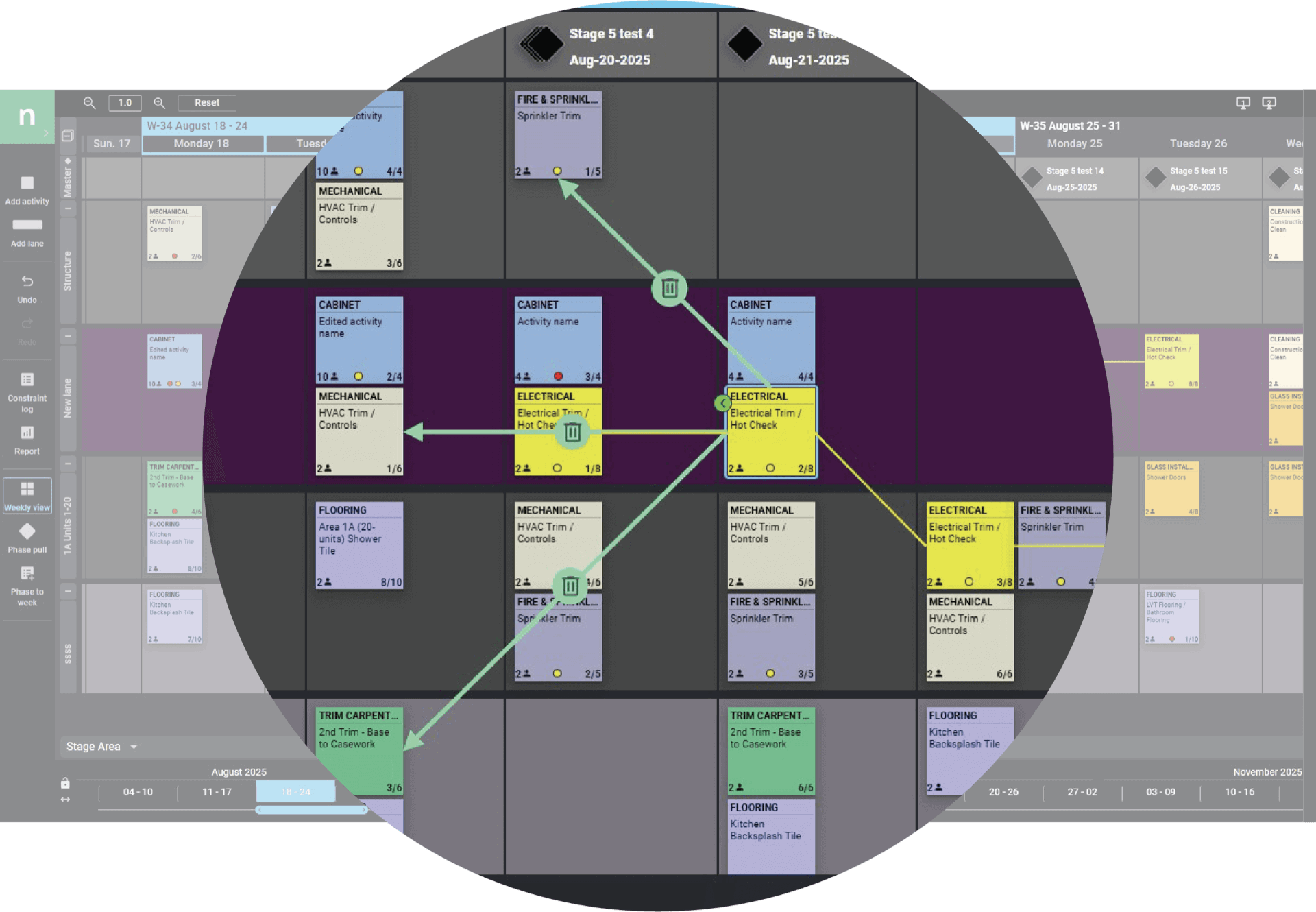
Improve hand-offs between trades and teams
Sync up to three interactive displays
Multi-user touch interaction
No downloads required, access via Google Chrome
Simple for teams to learn and use quickly
Visual dependencies and constraints highlight issues earlier
Import milestones from master schedules
Real-time project progression reporting
How Visual Planner works
Set Key Dates – Add or import milestones from your master schedule.
Pull Plan Backwards – Map work from delivery milestones using drag-and-drop planning.
Look ahead Planning – Transition work into weekly schedules and manage constraints.
Manage Weekly Plans – View day-by-day activity and keep schedules synced in the cloud.
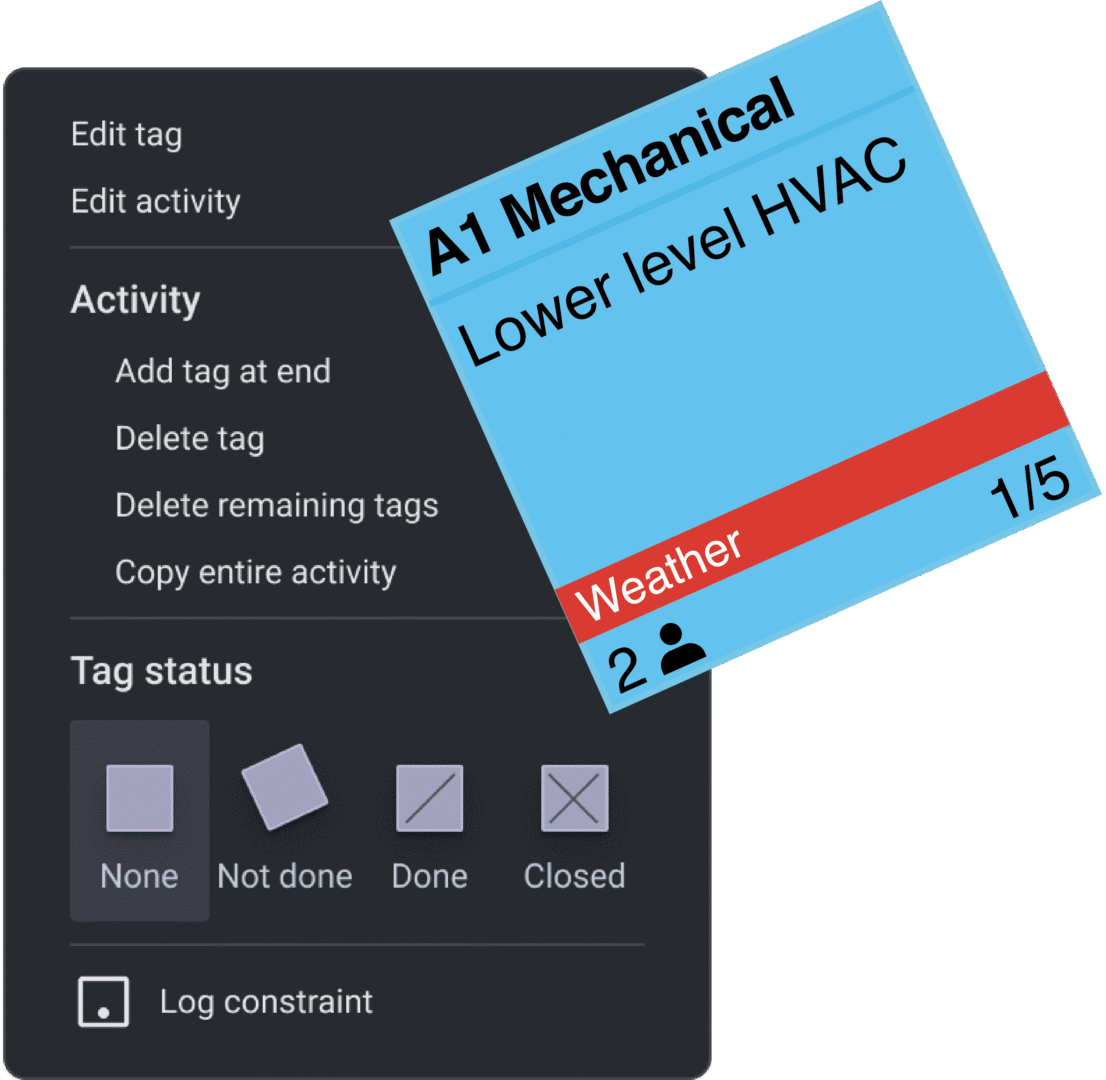
Capture Progress – Mark tasks complete or incomplete and record reasons for delays.
Drive Continuous Improvement – Analyse trends and refine future schedules.
Technology & integrations
Microsoft Power BI integration
Developer API available
Fully web-based platform
Accessible via Google Chrome
Accessible via Google Chrome
Mobile-friendly field version supported on Safari
Multi-factor authentication (MFA) available